On this page
Welcome to Postil
Postil pulls sermons, articles, podcasts, videos, and news from ministries and Christian creators across the web into one feed — anchored to Scripture, not to an algorithm that just wants your attention.
Most content apps optimize for time-on-app. Postil is built around a different question: what does this verse, this season, this struggle actually need said about it well? Every piece of content can be linked to the Bible passage it speaks to, so instead of scrolling a generic feed, you can open Genesis 3 and see what real teachers, across traditions, have actually said about it.
What makes Postil different
- Verse-anchored, not just topic-tagged. Content is linked to specific chapters and verses, so the Bible reader and the feed talk to each other — read a verse, see what's been said about it; read an article, jump straight to its passage.
- Curated, not open-upload. Every source is vetted before it enters the feed. No anonymous accounts publishing directly into your Bible app.
Getting started
Browsing without an account
You can open Postil and browse the Feed, the Bible reader, and the Daily Devotional right away — no account required. A guest can read everything except content flagged as sensitive, which stays blurred until you sign in (a simple age-assurance check, not a paywall). Saving, upcrossing, following, commenting, and every other action that remembers something about you prompts a quick sign-in when you try it.
Creating an account
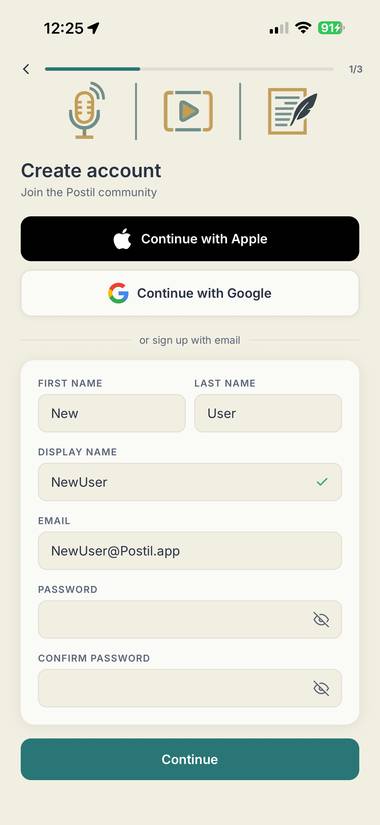
- Enter your name and choose a display name — Postil checks availability as you type.
- Sign up with email and password, or continue instantly with Apple or Google.
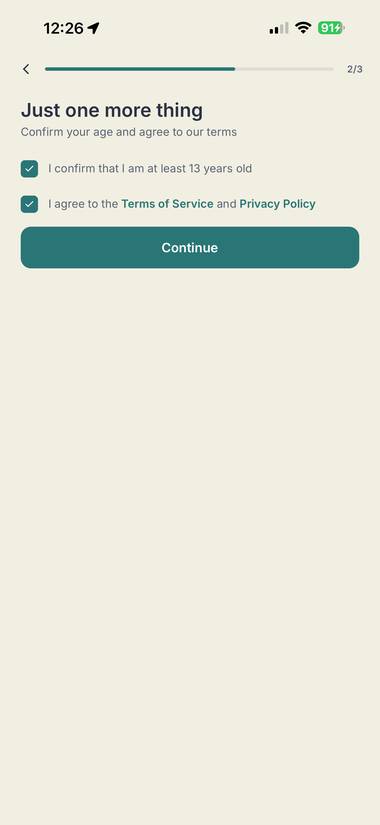
- Confirm you're 13 or older (a simple checkbox — Postil doesn't ask for your birthdate) and agree to the Terms and Privacy Policy.
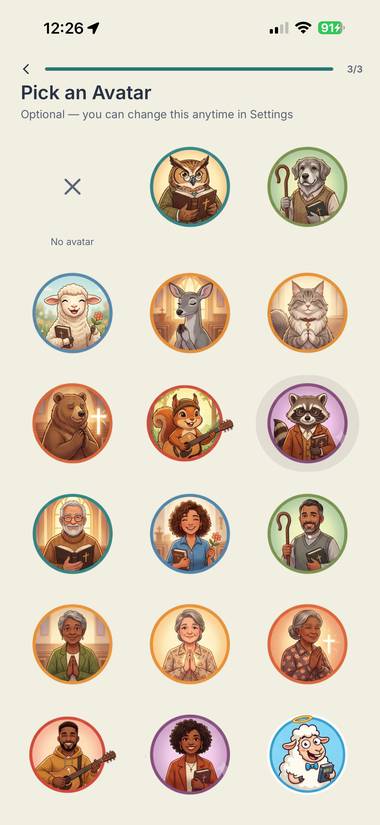
- Optionally pick an avatar. You can change this anytime later.
If you sign up with Apple or Google, you'll land on one extra screen to set your display name and confirm you're 13+ before entering the app.
Signing in
Use email and password, or the same Apple/Google account you signed up with.
Forgot your password?
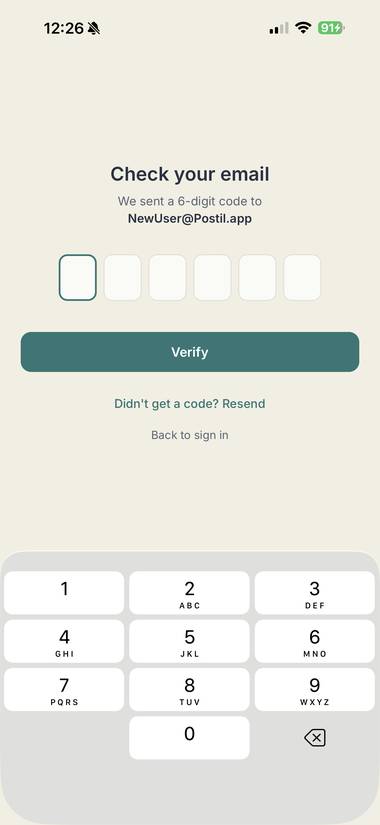
Tap "Forgot password?" on the sign-in screen and enter your email — Postil sends a one-time code. Enter that code and choose a new password to get back in. No birthdate or other identity check is required.
The Feed
Your home tab — a mixed stream of articles, videos, podcasts, and news from every creator and topic you follow or haven't discovered yet.
Sorting and filtering
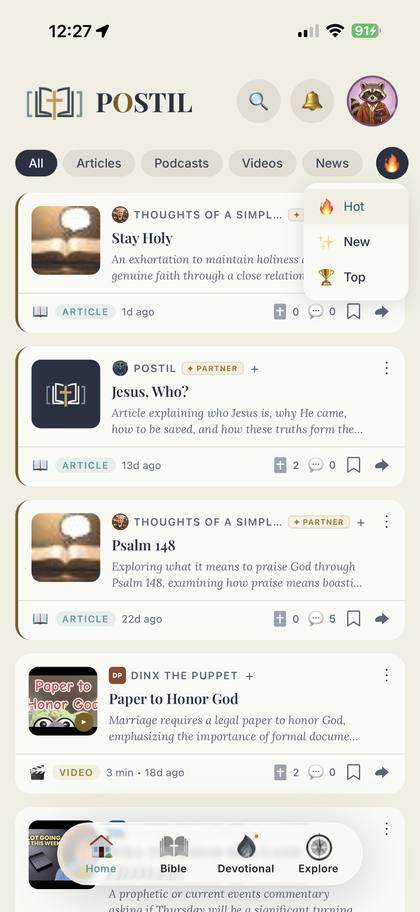
Switch between Hot, New, and Top (Top adds a time window — Day, Week, Month, Year, or All-time). Filter by content type with the pills at the top: All, Article, Video, Podcast, News.
The source dot
Every card shows a small badge next to the creator's name — the source dot. Tap it to open that creator's profile. It's usually their initials; it becomes their photo only once they've claimed their account and picked an avatar, which is a small nudge toward creators actually joining Postil rather than just being scraped.
What you can do with a card
- Upcross — Postil's version of a like, marked with a cross icon. Tap to upcross, tap again to undo.
- Save — bookmark it for later; find it under your profile's Saved tab.
- Comment — opens a discussion thread on that piece of content.
- Share — send it outside the app.
- Follow — follow the creator directly from their card.
- ⋮ menu — Share, Open externally, Hide this creator, or Report the content.
Swipe a card left to save it, right to dismiss it — quick triage for a long feed.
Partner content
Cards from a vetted Postil Partner carry a gold left edge and a ✦ PARTNER badge. Tap the badge for a quick explainer on what that means.
Explore & search
Search the whole library from the Feed tab, or open Explore for two more ways in:
- Browse by Topic — twelve fixed content categories, each its own sortable, filterable feed.
- What Are You Facing? — life-situation topics like grief or anxiety, surfacing content tagged to what you're actually going through, not just a subject heading.
The Bible reader
A full Bible reader that stays connected to everything else in the app.
Navigation
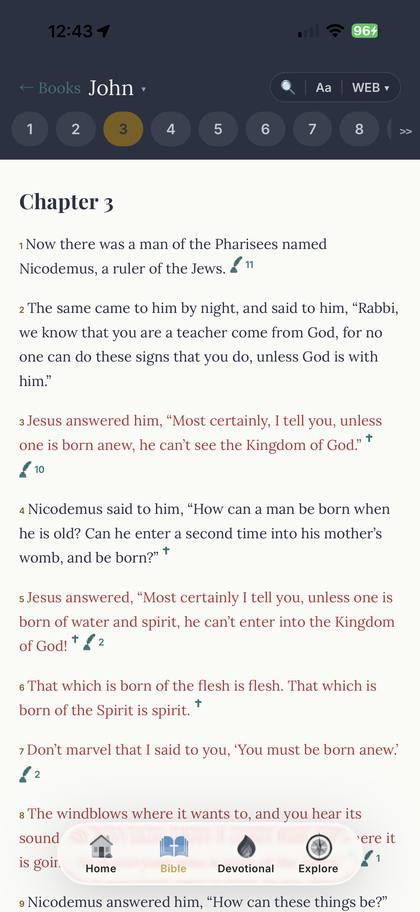
Pick a book by biblical order or by genre, jump between chapters with the chapter tabs, or just scroll — chapters flow continuously. Postil remembers your exact position between sessions.
Translations and word study
Switch translations from the picker. Reading in KJV also enables tap-to-study on individual words, pulling up their Strong's entry.
Verse-linked content and cross-references
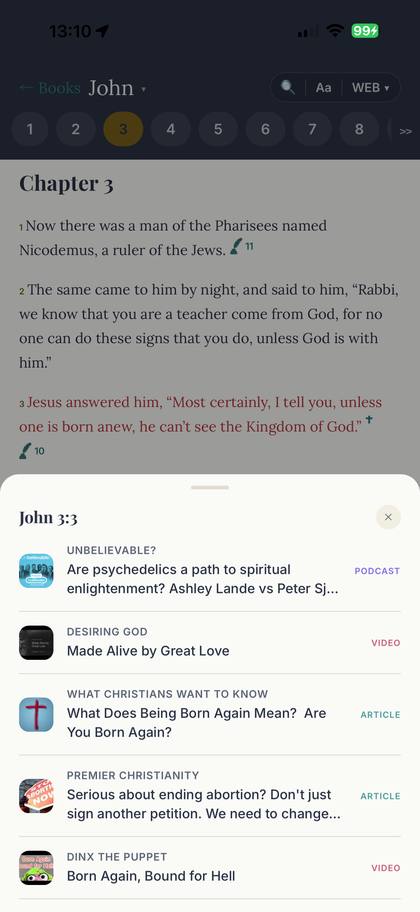
Verses with related feed content show a small indicator — tap it to open everything (articles, devotionals, sermons) tagged to that verse. Related verses elsewhere in Scripture appear as underlined cross-references you can tap to preview.
Highlights and notes
Long-press any verse to open a color swatch row and a private note field. Highlights are per-verse, not per-translation — read the same verse in a different translation later and your highlight is still there. Rename any of the six colors to whatever you actually use them for (e.g. "Promises", "Convicting") from that same sheet — except Quick Highlight (yellow), which stays fixed so a quick swipe always does the same thing.
In verse-by-verse view, you can also swipe a verse: swipe right to instantly toggle Quick Highlight on or off, or swipe left to jump straight into that verse's note field.
My Notes
A dedicated screen (reachable from the Bible reader) that collects every highlight and note you've made, grouped by book. Switch between a Notes tab and a Highlights tab, sort by book, color, or date, and swipe to delete — or turn on Edit mode to bulk-delete several at once.
Compare Translations
From the same long-press sheet, open Compare Translations to see all six translations of that verse side by side. Tap any translation in the list to switch your reader to it directly.
Chapter audio
Chapters with a free public-domain recording available (KJV has the widest coverage) show a small headphone icon next to the chapter heading — tap it to play that chapter aloud from a slim audio bar, with lock-screen and Control Center controls like any other audio in the app.
Search, concordance, and display settings
Search the whole Bible from the in-reader search overlay — it also includes an Original Word section: search by an English gloss or transliteration to find every verse using that original Hebrew or Greek word (Strong's alignment is currently available reading in KJV). The settings panel adjusts font size, lets you pick a reading font (Lora, Inter, or Playfair), and toggles between verse-by-verse and paragraph view.
Daily Devotional
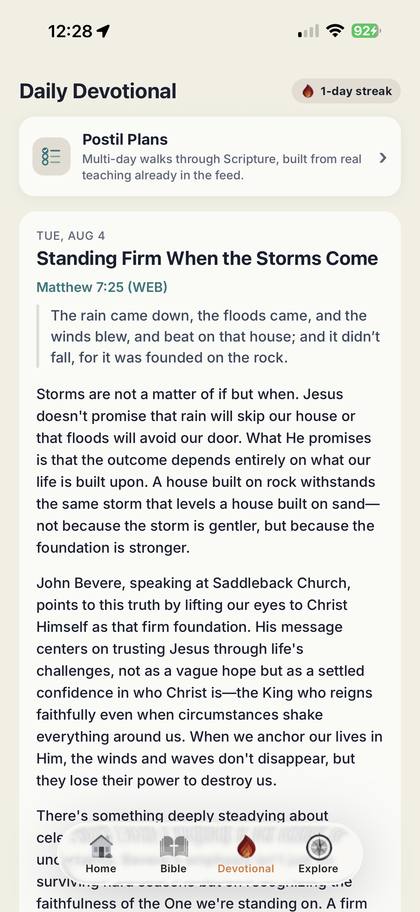
One devotional a day: a title, a linked verse, and a short reflection — always grounded in a real piece of content already in the feed, never invented from nothing.
- Preview the linked chapter without leaving the devotional, or jump straight into the Bible reader with "Continue in Bible."
- Follow "Read the source" back to the original article the devotional drew from.
- Discuss it in the comments, same as any feed item.
- A monthly calendar lets you revisit any past devotional — days you've read are marked.
- Reading each day's devotional builds a streak, shown on the Devotional tab and your profile.
Reading Plans
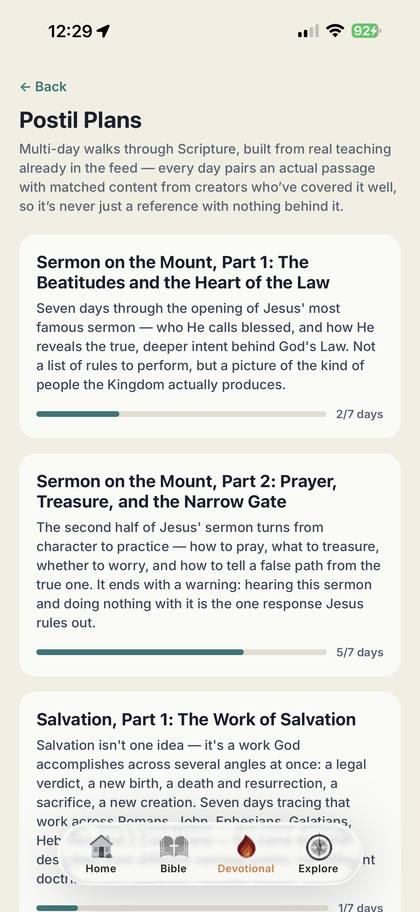
Postil Plans come in two tracks, both accessible from a header icon in the Bible tab.
Topical plans
Multi-day plans that walk through a real passage of Scripture, one day at a time. Each day shows the passage text itself alongside real feed content already tagged to it — sermons, articles, podcast episodes — right inline, no extra taps needed to see what a day covers. A lighter "Open full chapter in Bible" link is there if you want full-chapter context. A progress bar on each plan tracks days completed against the total.
Bible in a Year
Three full-Bible, 365-day plans — Canonical (Genesis to Revelation, in order), Chronological (roughly the order events happened), and M'Cheyne (Robert Murray M'Cheyne's classic 1842 calendar, four short readings a day). These are self-paced and calendar-independent — there's no streak to break, just a plain fraction and a neutral dot showing whether you're ahead of or behind pace. M'Cheyne days with multiple readings can be checked off one at a time, or all at once. Finish a full read-through anytime and start over without losing that completion on your record.
Creators
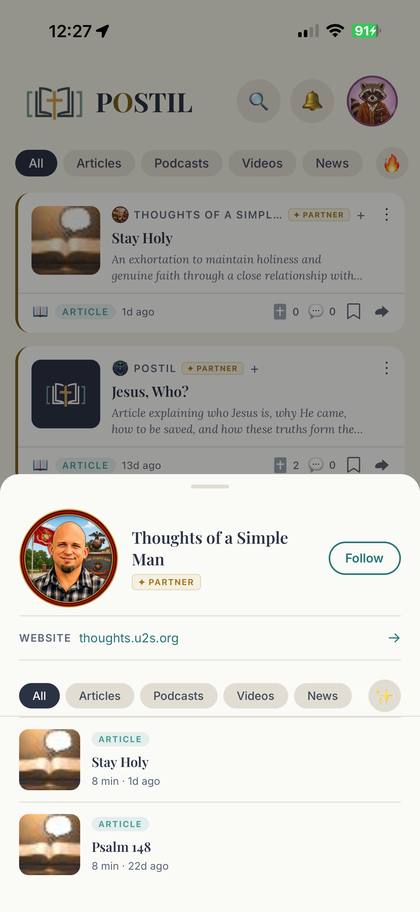
Tap any creator to open their profile: bio, website link, their content sorted by New or Top, and a Follow button.
Your profile
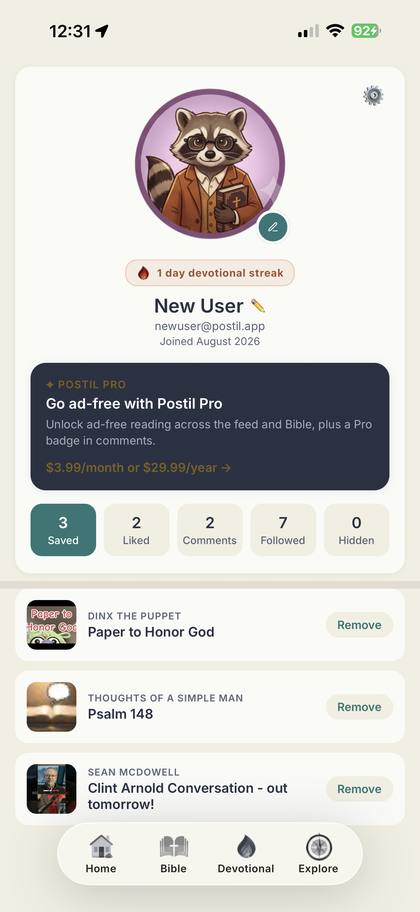
Your profile shows your avatar, display name, join date, devotional streak, and — if you're a subscriber — a small crown badge. Five tabs hold everything you've collected: Saved, Liked (upcrossed), Comments, Followed, and Hidden.
Settings
- Content Interests — turn categories on or off for your feed.
- Hidden & Blocked — manage content/creators you've hidden, and separately, users you've blocked from comments.
- Dark Mode.
- Subscription — upgrade to Postil Pro, or manage/cancel an existing plan.
- Notifications — see Notifications below.
- Suggest a Creator — nominate a ministry or source you'd like added.
- Help & Support — send a message directly to the team.
- Sign Out and, separately, Delete Account — its own red, confirmation-gated flow.
Terms of Service, Privacy Policy, and a Data Sources disclosure are linked at the bottom of Settings, along with the current app version.
Notifications
The bell icon opens your notification feed — someone you follow posted, a reply to your comment, and more. Tap any notification to jump straight to it, mark items read individually or all at once, or clear the list. Push notifications work the same way even from a cold start, and you can tune push and email digest preferences from Notification Settings.
Postil Pro
Postil Pro removes ads and unlocks a few extras. $3.99/month or $29.99/year.
What's actually gated behind Pro
| Feature | Free | Pro |
|---|---|---|
| Full Feed, Bible reader, Devotional, Reading Plans | Included | Included |
| Ads in the Feed and creator lists | Shown | None |
| "Subscribe" promo cards in the feed | Shown occasionally | Hidden |
| Pro-exclusive avatars | — | Unlocked |
Manage or cancel anytime from Settings → Subscription — it opens your device's native subscription management, so there's never a dark pattern between you and canceling.
Postil Partners
Partners are ministries and creators Postil has vetted for producing doctrinally sound, spiritually edifying content — and who support Postil's mission in return, financially or through visibility. Their content carries the gold ✦ PARTNER badge throughout the app. Partner organizations manage their own profile and content through a separate portal outside the mobile app itself.
What's next
Postil is actively growing. On the roadmap:
- More vetted Partners. The Partner roster keeps growing as new ministries are reviewed and onboarded.
Frequently asked questions
- Is Postil free?
- Yes. The Feed, Bible reader, Daily Devotional, Reading Plans, and every core feature are free with an account. Postil Pro removes ads — see Postil Pro.
- Do I need an account to use Postil?
- No — you can browse the Feed, Bible reader, and Daily Devotional as a guest. An account is needed to save your progress, follow creators, comment, and build a streak, and to unblur content flagged as sensitive.
- What is "upcrossing"?
- Postil's version of a like — marked with a cross icon instead of a heart, since that's a better fit for what the content is actually about.
- How is content chosen — is it moderated?
- Every source is vetted before it's added to Postil; nobody publishes directly into your feed. You can also report any individual piece of content, hide a creator, or block a user from comments at any time.
- What happens to my data if I delete my account?
- Account deletion is available in Settings and is a deliberate, confirmation-gated action. If you've subscribed to Postil Pro, your subscription history is kept separately by the App Store so Restore Purchases keeps working even after deletion.
- How do I cancel Postil Pro?
- Settings → Subscription → Manage. This opens Apple's native subscription management — cancellation is handled by the App Store, not inside Postil.
- Can I suggest a creator or ministry to add?
- Yes — Settings → Suggest a Creator. Every suggestion goes through the same vetting as any other source before it's added.
- Which Bible translations are available?
- Six translations — DRA, AKJV, KJV, WEB, ASV, and BBE — are available from the picker in the Bible reader or side by side in Compare Translations; word-study/Strong's lookups and the concordance are currently available when reading in KJV.
- Are my verse highlights and notes private?
- Yes — highlights and notes are visible only to you, not shared or shown to other users.
- I found something inappropriate — how do I report it?
- Open the ⋮ menu on any feed card and choose Report, or use the report option from a comment.
- How do I contact support?
- Settings → Help & Support sends a message directly to the Postil team.
- I forgot my password — what do I do?
- Tap "Forgot password?" on the sign-in screen, enter your email, and use the one-time code Postil emails you to set a new password.